From Website to Digital Platform: How Businesses Can Scale Online
Learn how businesses can evolve from a basic website into a scalable digital platform using CRM, automation, customer portals, analytics, integrations, and data.
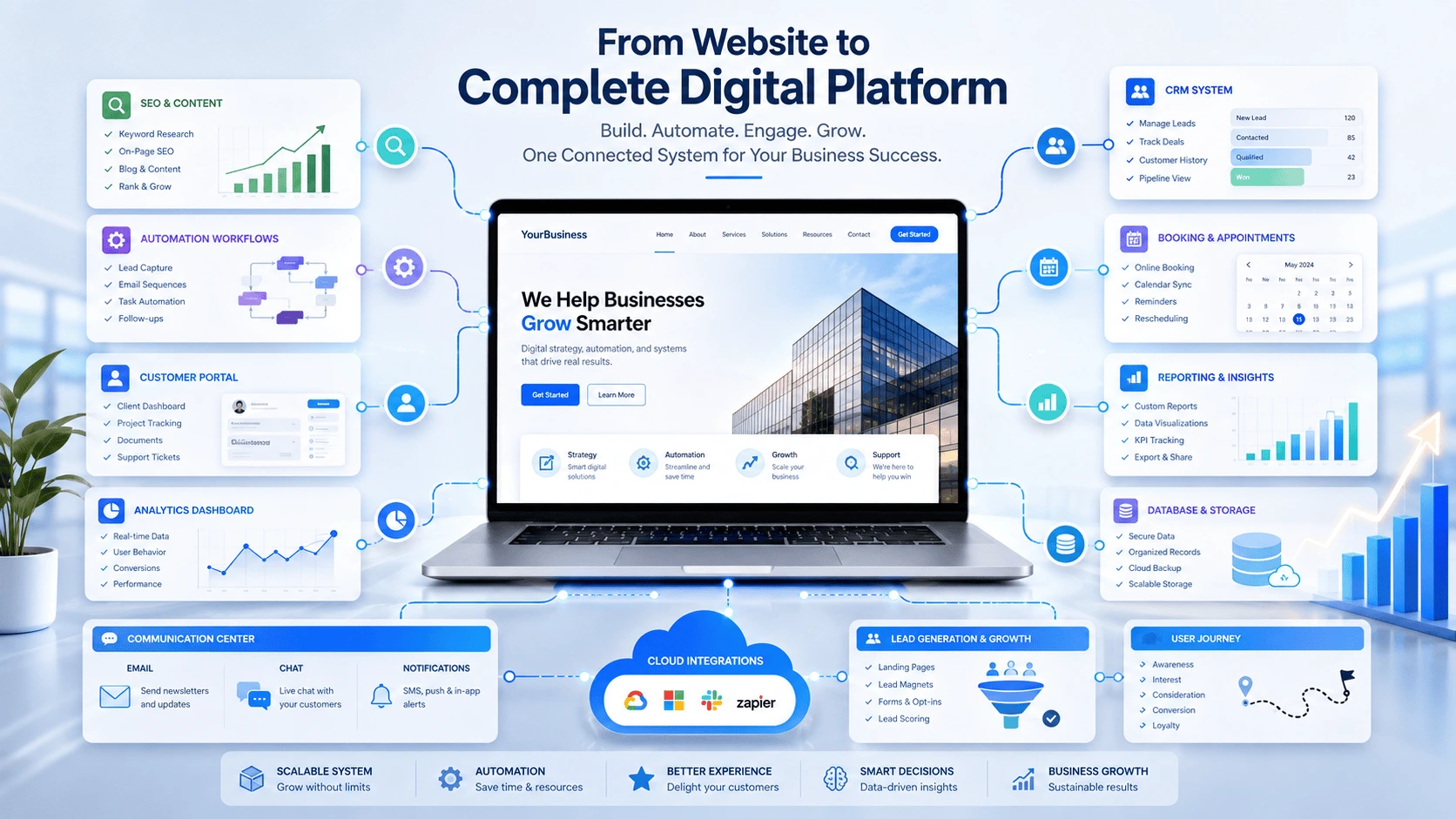
A website is often the first major digital investment a business makes. It creates visibility, explains services, builds trust, and gives potential customers a way to make contact. But as a business grows, a brochure-style website can become too limited.
Customers may need self-service tools. Teams may need connected workflows. Managers may need clearer reporting. Marketing may require automation, lead tracking, and personalized communication. At that stage, the website must evolve into a digital platform: a connected system that supports customer experience, internal operations, data, automation, and long-term growth.
1. Start with a strong website foundation
Scaling online does not mean abandoning the website. It means building on a foundation that is already clear, fast, responsive, secure, and easy to expand.
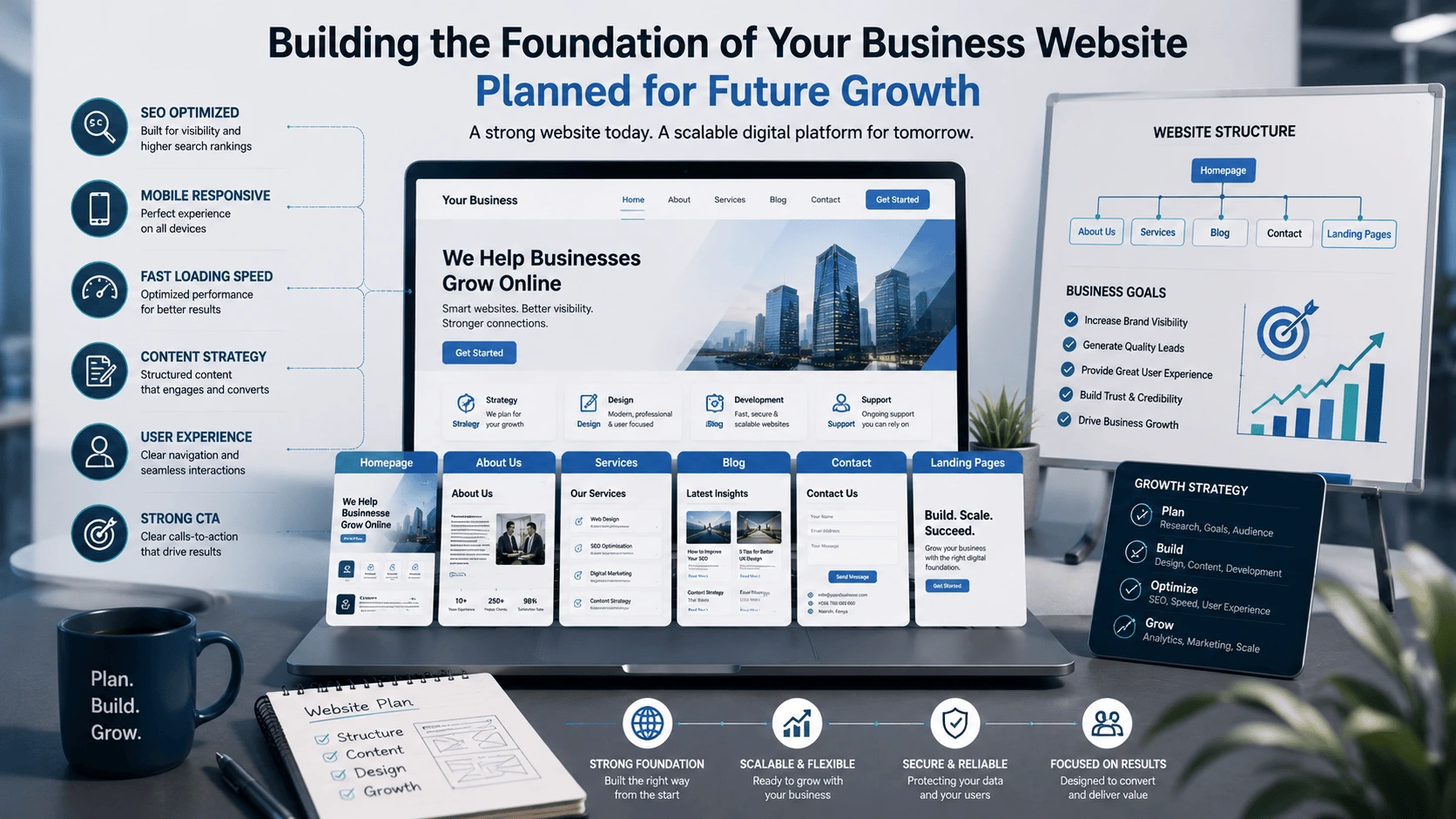
A scalable business website should include:
- Clear positioning: visitors should immediately understand who the business serves, what it offers, and why it is credible.
- Responsive design: the experience should work smoothly across phones, tablets, laptops, and larger screens.
- Search visibility: technical SEO, useful content, and logical page structure should support discovery.
- Fast performance: pages should load efficiently and avoid unnecessary scripts or oversized media.
- Strong conversion paths: calls to action should guide visitors toward enquiries, bookings, purchases, or other meaningful steps.
- Expandable architecture: the site should be ready to connect with future tools, systems, and workflows.
When these basics are weak, adding automation or advanced systems usually increases complexity instead of creating value.
2. What turns a website into a digital platform?
A website mainly publishes information. A digital platform connects information with actions, users, systems, and data.
A digital platform may include:
- Customer accounts and secure portals
- Online booking and appointment management
- Lead capture and CRM integration
- Automated email sequences and follow-ups
- Dashboards and management reports
- E-commerce, payments, and order workflows
- Document upload and approval processes
- Customer support, live chat, or ticketing
- APIs connecting multiple business tools
- Cloud storage, databases, and structured records
The important difference is not the number of features. It is how well the features work together to support a defined business process.
3. The stages of online growth
Most businesses do not need every platform capability immediately. A practical digital transformation journey usually develops through stages.
Stage 1: Establish a credible online presence
The first priority is a professional website with clear services, proof of expertise, useful content, contact options, analytics, and search-ready structure.
Stage 2: Improve lead generation and conversion
The business can then add focused landing pages, stronger calls to action, enquiry forms, booking tools, lead magnets, WhatsApp integration, and campaign tracking.
Stage 3: Organize customer relationships
As enquiries grow, CRM systems help teams track leads, store customer history, assign follow-ups, and understand where opportunities stand.
Stage 4: Automate repetitive workflows
Automation can connect forms, email, CRM, calendars, reporting, invoicing, and internal notifications. This reduces repeated manual work and improves consistency.
Stage 5: Build portals, dashboards, or custom systems
Businesses with more complex operations may need customer portals, internal dashboards, custom reporting, inventory workflows, learning systems, or industry-specific software.
Stage 6: Optimize using data
Once systems are connected, managers can use reliable data to improve marketing, customer experience, productivity, and strategic decision-making.
4. Core capabilities of a scalable digital platform
A strong platform is built around business outcomes rather than fashionable technology. The following capabilities are among the most valuable.
Customer-facing experience
- Clear website navigation and useful content
- Online forms, bookings, purchases, or applications
- Personalized recommendations and customer portals
- Accessible mobile experiences
- Consistent communication and support channels
Operational systems
- Centralized customer and project records
- Task assignment and workflow tracking
- Inventory, order, or service management
- Document storage and approval flows
- Role-based access for staff and clients
Growth and marketing systems
- SEO and content publishing
- Landing pages and campaign tracking
- Email marketing and lead nurturing
- CRM pipelines and follow-up reminders
- Performance analytics and conversion reporting
5. Connect automation, CRM, and business data
Many businesses lose opportunities because their tools operate separately. Website enquiries stay in email inboxes, follow-ups depend on memory, customer records are scattered, and reports must be compiled manually.
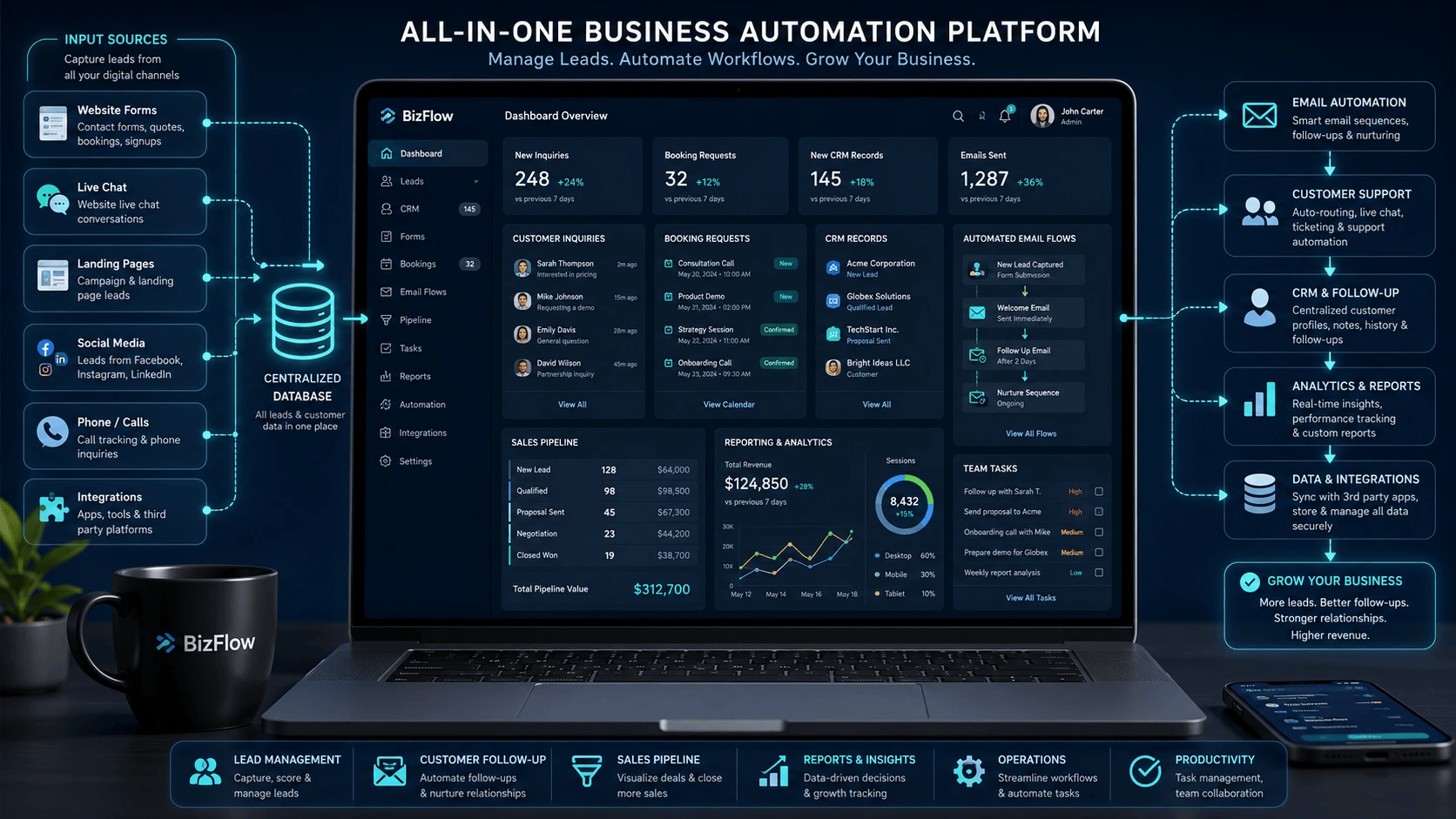
A connected platform can create a structured workflow such as:
- A visitor submits a website enquiry.
- The lead is automatically added to the CRM.
- The relevant team member receives a notification.
- The customer receives a confirmation or welcome email.
- A follow-up task is created.
- The opportunity moves through a visible sales pipeline.
- Management reports show lead volume, response time, conversion, and revenue.
This does not only save time. It creates a more reliable customer journey and gives managers clearer information for decision-making.
6. Create a practical digital-platform roadmap

A useful roadmap connects technology investment to business priorities. The following sequence works for many growing organizations:
- Review the current customer journey. Identify how people discover the business, make enquiries, receive service, and remain engaged.
- Identify operational friction. Look for repeated data entry, missed follow-ups, disconnected records, slow approvals, and manual reporting.
- Prioritize the highest-value improvement. Start with the system that will improve revenue, customer experience, or operational efficiency most clearly.
- Choose tools that can integrate. Avoid creating isolated systems that will be difficult to connect later.
- Implement in phases. Launch a useful first version, measure its performance, and expand based on evidence.
- Define success metrics. Track measures such as leads, conversion rate, response time, customer retention, task completion, downtime, or operating cost.
- Plan ongoing support. Platforms require maintenance, security reviews, updates, backups, documentation, and user training.
7. How to scale without overbuilding
Digital growth does not require building a large custom platform from the beginning. Overbuilding can create high costs, slow delivery, unnecessary features, and maintenance problems.
A better approach is to:
- Start with the smallest system that solves a meaningful problem
- Use existing platforms where they meet the requirement well
- Build custom software only where it creates a real advantage
- Validate workflows before automating them
- Keep data structures and integrations documented
- Design for future expansion without paying for unused complexity
Website, system, or platform: what does your business need?
A business may still need only a strong website if its main objective is credibility, information, and enquiries. It may need connected business systems when staff are managing growing volumes of leads, customers, tasks, or data. It may need a broader digital platform when customers, employees, partners, and multiple systems must interact through one coordinated experience.
The right decision depends on the business model, current challenges, users, growth plans, and available resources—not on copying the most advanced technology another company uses.
Conclusion
Moving from a website to a digital platform is a gradual business transformation. The website remains the public foundation, while CRM, automation, portals, dashboards, analytics, and integrations extend what the organization can do online.
The strongest platforms are not the ones with the most features. They are the ones that connect customer needs, internal workflows, data, and business goals into a clear and maintainable system.
Frequently asked questions
What is the difference between a website and a digital platform?
A website mainly presents information and supports basic interactions. A digital platform connects users, workflows, data, automation, and multiple services through an integrated system.
Does every small business need a custom digital platform?
No. Many small businesses can scale effectively using a strong website combined with well-selected tools for CRM, bookings, email, e-commerce, and automation. Custom development is most useful when standard tools cannot support an important workflow.
When should a business add CRM?
A CRM becomes valuable when enquiries and customer relationships are difficult to track consistently through email, spreadsheets, or individual staff members.
Can an existing website be expanded into a platform?
Yes, provided the website has a maintainable structure and the required tools can be integrated securely. In some cases, selected sections may need to be rebuilt to support future growth.
What should a business automate first?
Start with a repetitive, clearly defined workflow that consumes time or creates frequent errors, such as enquiry routing, follow-up emails, appointment reminders, reporting, or document approvals.
Sources and further reading
Need a practical digital strategy?
We help organizations turn ideas, workflows, and growth goals into clear digital solutions.