WordPress vs Custom Websites: Which Is Better for Your Business?
Compare WordPress and custom website development across cost, speed, SEO, content management, integrations, performance, maintenance, and scalability.
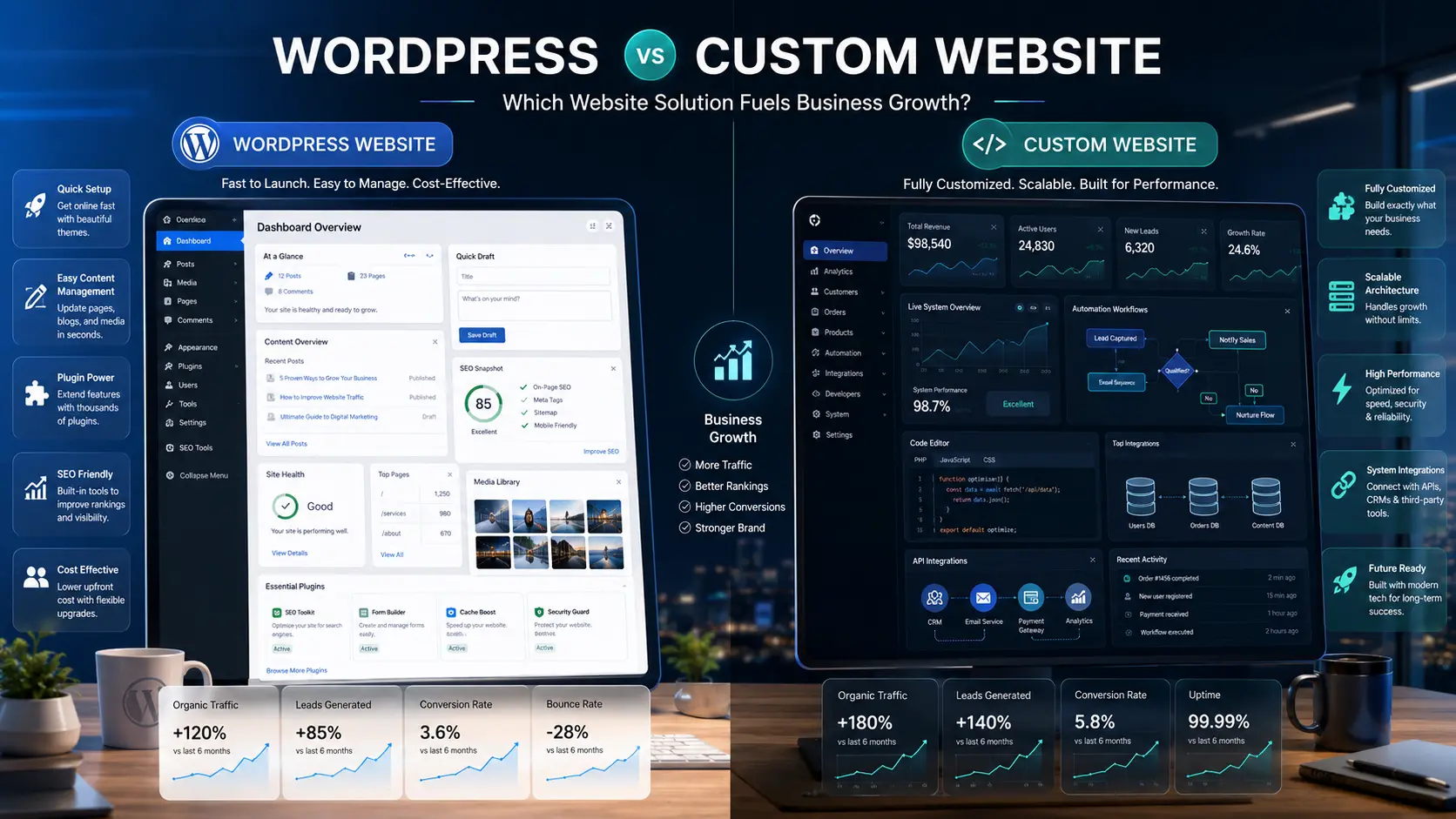
Choosing between WordPress and a custom-built website is not simply a technical decision. It affects cost, launch speed, content management, performance, integrations, maintenance, scalability, and how easily the website can support future business growth.
WordPress is a flexible content-management system that works well for many business websites, blogs, landing pages, and e-commerce projects. A custom website is designed and developed around specific business requirements, workflows, integrations, and long-term technical goals.
The best option depends on what the business needs the website to do today, how quickly it needs to launch, who will manage it, and how complex the future roadmap is likely to become.
What is a WordPress website?
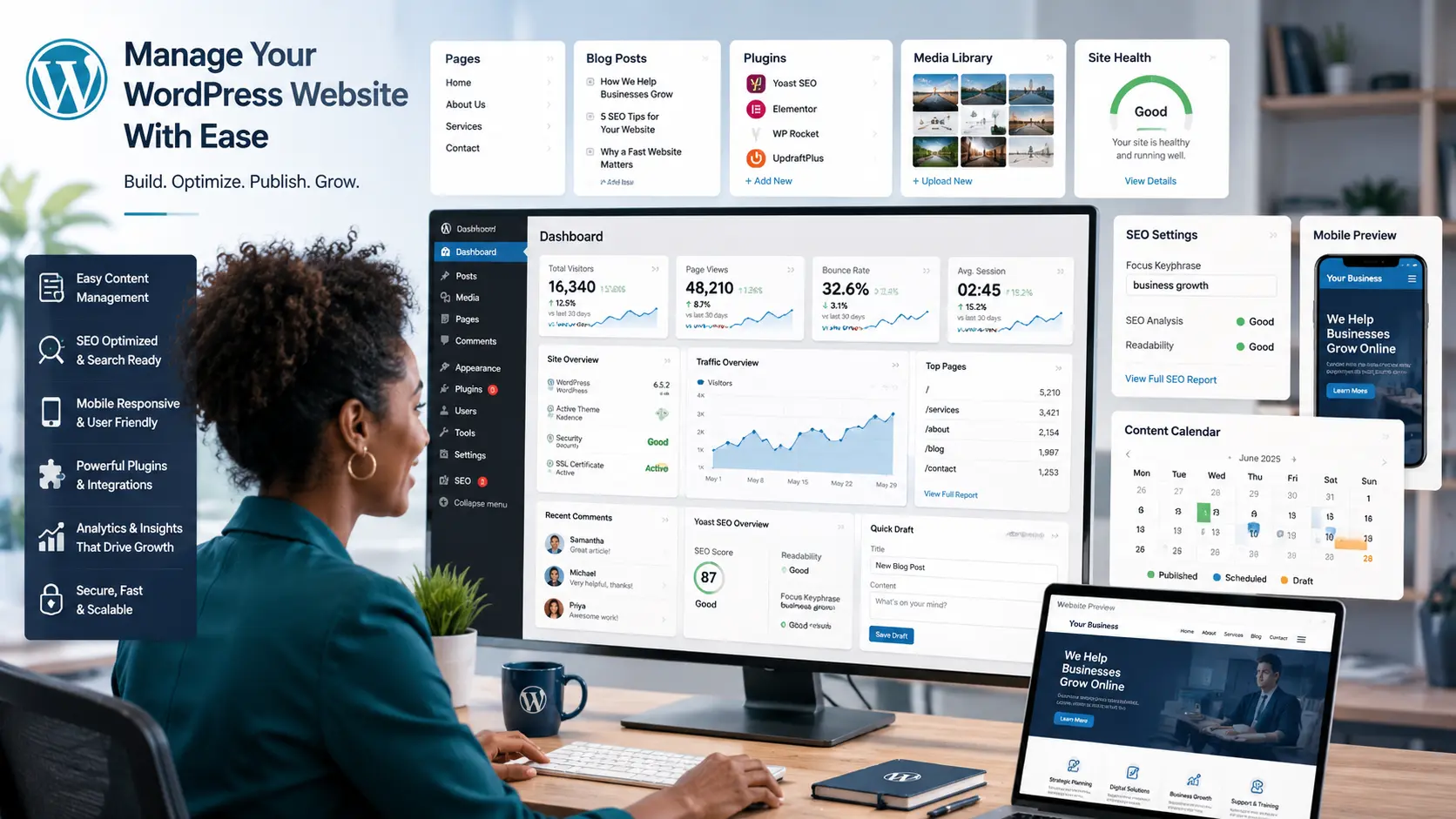
WordPress is a content-management system that allows website owners and teams to manage pages, blog posts, media, users, and website settings through an administrative dashboard.
It is commonly used for:
- Company and professional-service websites
- Blogs and content-driven websites
- Portfolio and personal-brand websites
- Landing pages and campaign websites
- Small and medium-sized e-commerce stores
- Membership and learning websites
- Institutional and non-profit websites
WordPress can be customized through themes, plugins, custom code, and integrations. Its main advantage is that many common website functions can be implemented without building every feature from the beginning.
Key WordPress strengths
- Faster launch: existing tools and components reduce development time.
- Content management: non-technical users can update pages, publish articles, and manage media.
- Large ecosystem: plugins support SEO, forms, backups, security, e-commerce, and marketing.
- Cost flexibility: businesses can begin with a smaller website and improve it gradually.
- Search readiness: WordPress supports structured content, metadata, sitemaps, and SEO tools.
WordPress limitations
- Too many plugins can reduce performance and increase maintenance needs.
- Complex workflows may require extensive customization.
- Plugin conflicts and updates can create technical issues.
- Security depends heavily on hosting, updates, configuration, and ongoing maintenance.
- Highly specialized systems may become difficult to manage inside a general-purpose CMS.
What is a custom website?
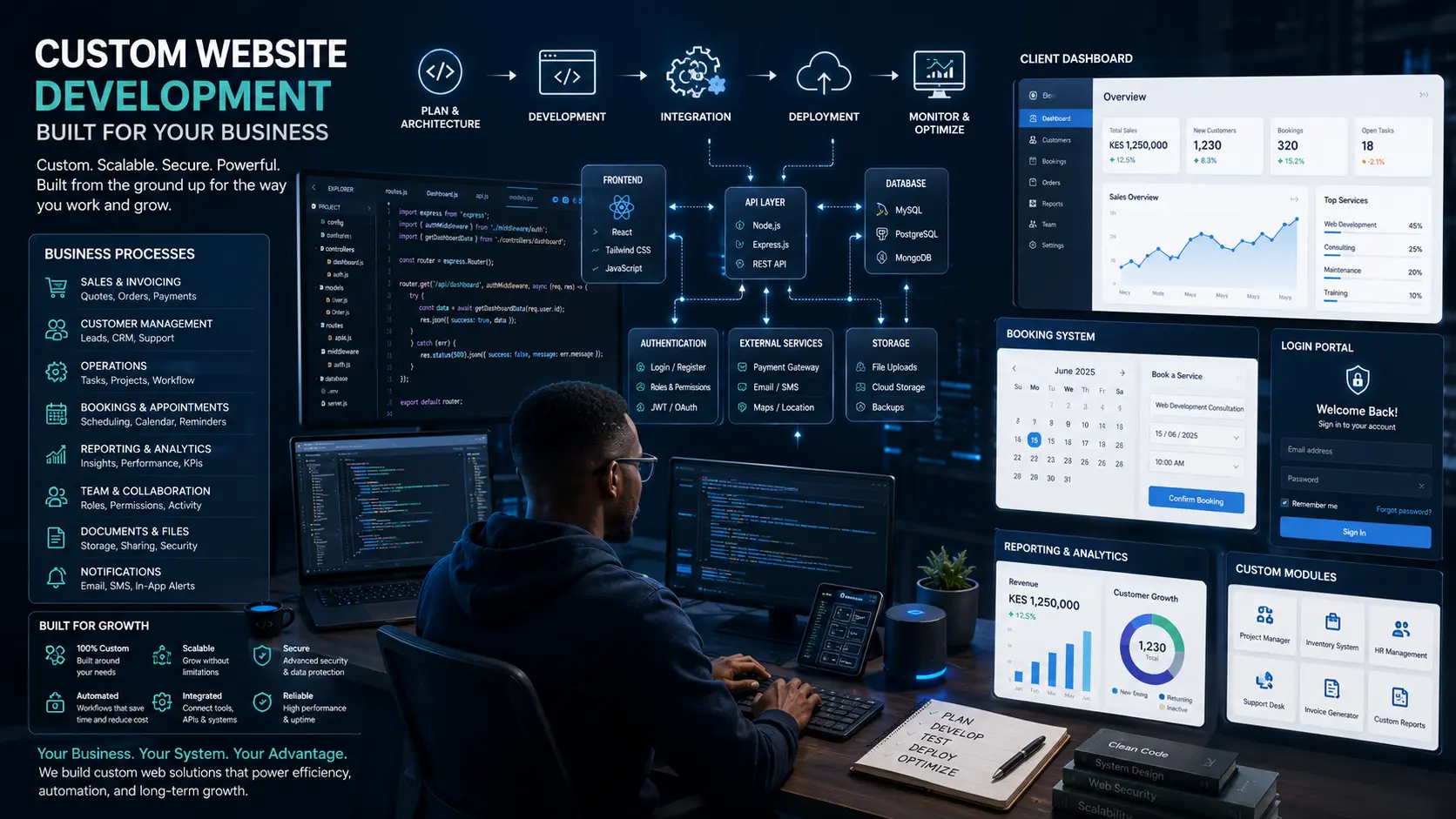
A custom website is designed and developed around the specific requirements of a business. Instead of depending primarily on a prebuilt CMS and plugin ecosystem, the structure, features, data, interfaces, and integrations are developed to support defined workflows.
Custom development may include:
- Client dashboards and secure portals
- Custom booking and scheduling systems
- Business process automation
- Internal management systems
- Custom reporting and analytics
- Role-based accounts and permissions
- API integrations
- Complex product or service configuration
- Industry-specific workflows
- Scalable databases and application logic
Key custom-development strengths
- Exact fit: the system is developed around real business requirements.
- Scalability: architecture can be planned for expected growth and future features.
- Performance control: the development team controls code, dependencies, and infrastructure choices.
- Advanced integrations: APIs, databases, automation, and external services can be connected directly.
- Distinct experience: interfaces and workflows are not limited by a standard theme or plugin design.
Custom-development limitations
- Initial cost is usually higher.
- Planning and development take longer.
- Ongoing support may require the original development team or clear technical documentation.
- Content editing may require a custom administration interface.
- Poorly planned custom systems can become expensive to maintain.
WordPress vs custom websites: key differences
| Factor | WordPress | Custom website |
|---|---|---|
| Launch speed | Usually faster | Usually longer because features are built specifically |
| Initial investment | Often lower for standard business requirements | Usually higher because of planning and development depth |
| Content editing | Built-in dashboard and publishing tools | Requires a custom CMS or administration area |
| Design flexibility | Highly flexible, but may depend on themes and plugins | Fully controlled around the project requirements |
| Advanced workflows | Possible, but complex solutions may require many plugins or custom code | Designed directly around the required workflow |
| Scalability | Good for many content, service, and e-commerce websites | Best when growth requires specialized architecture or application logic |
| Maintenance | Requires core, theme, and plugin updates | Requires code, infrastructure, security, and dependency maintenance |
| Integrations | Many ready-made integrations are available | Integrations can be implemented directly through APIs |
| Performance | Strong when properly built and maintained | Can be highly optimized for a defined use case |
| Best fit | Content-led and standard business websites | Platforms, portals, automation, and specialized systems |
When WordPress is the better choice
WordPress is often the stronger option when the main goal is to establish a professional online presence, publish content, generate enquiries, and allow internal teams to update the site regularly.
It is especially suitable when:
- The website needs to launch quickly.
- The business has a moderate budget.
- Blogging and SEO content are important.
- Staff need to edit pages without developer support.
- The required features are available through reliable plugins.
- The site does not require complex application logic.
- The business wants a manageable website that can grow gradually.
A well-developed WordPress website can still be custom-designed, fast, secure, conversion-focused, and professional. The platform itself does not determine quality; implementation quality does.
When custom website development is better
Custom development becomes more valuable when the website is expected to operate as a business system rather than primarily as a publishing and marketing platform.
It may be the better choice when:
- The business needs custom dashboards or portals.
- Several internal workflows must be automated.
- Users require different roles and permissions.
- The system must connect with multiple APIs or databases.
- Standard plugins cannot support the process reliably.
- Performance requirements are highly specific.
- The product roadmap includes complex future features.
- The website is part of a larger software product.
Custom development is strongest when the added investment produces a clear operational, customer-experience, or competitive advantage.
Cost, maintenance, and scalability
WordPress cost considerations
WordPress projects may include:
- Design and development
- Premium theme or plugin licenses
- Hosting and domain costs
- Security and backup tools
- Ongoing updates and maintenance
- SEO, content, and conversion improvements
A low initial build price can become misleading if the site depends on many paid plugins, poor hosting, or frequent emergency repairs. Total cost should be evaluated across the full ownership period.
Custom website cost considerations
Custom projects may include:
- Discovery and requirements analysis
- User experience and interface design
- Frontend and backend development
- Database and API development
- Testing, deployment, and documentation
- Hosting and infrastructure
- Support, monitoring, and future development
The higher initial investment may be justified when the system replaces manual work, improves customer experience, supports revenue, or provides capabilities that standard tools cannot deliver.
Which option scales better?
Both can scale when designed properly.
WordPress can support high-traffic websites, large content libraries, and substantial e-commerce operations with the right hosting, architecture, caching, and maintenance. Custom systems scale more naturally when growth depends on specialized workflows, large datasets, real-time features, or complex integrations.
The key question is not whether one platform can scale in theory. It is whether the selected approach can scale efficiently for the specific business model.
How to choose the right website solution
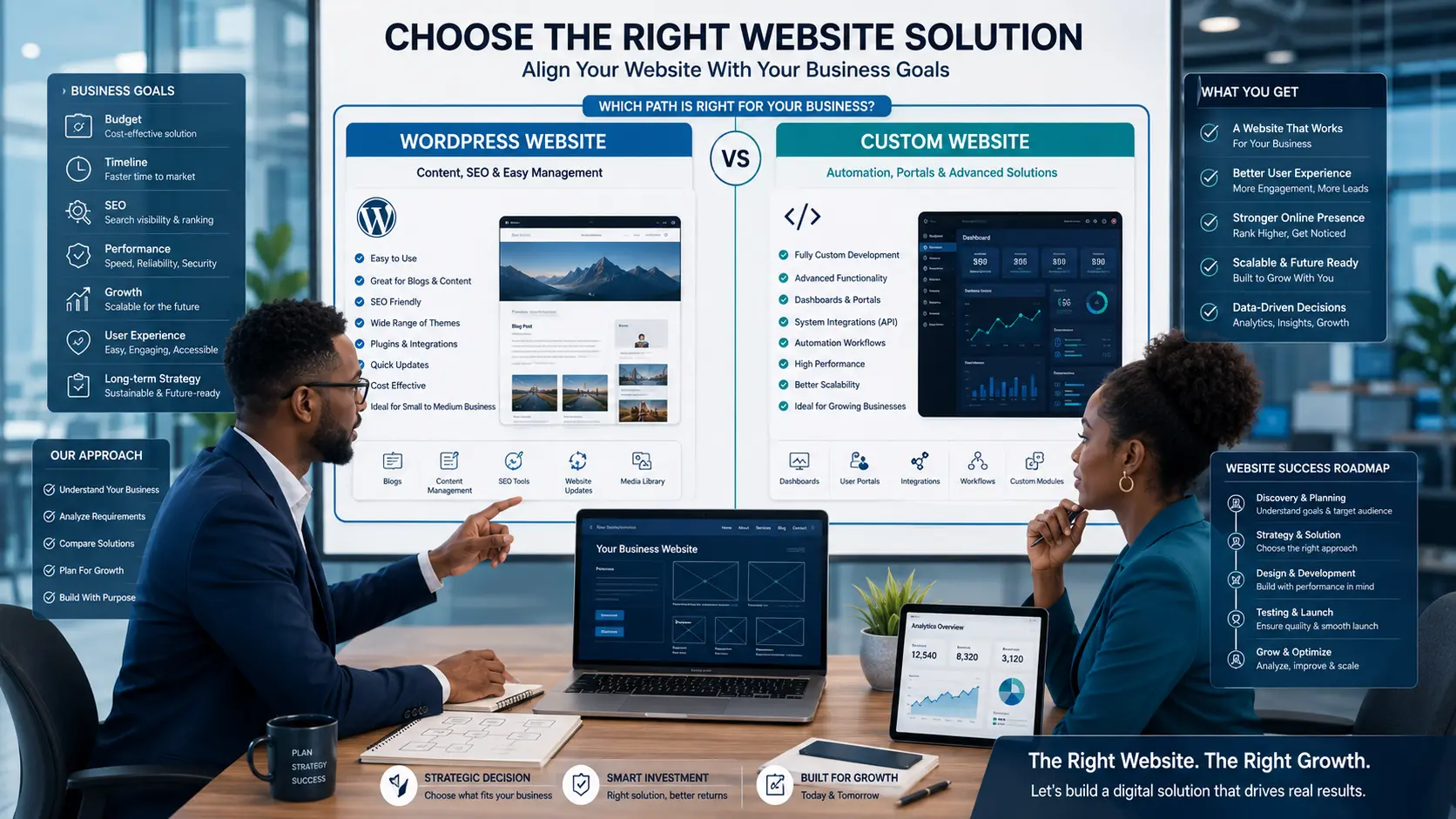
Use the following decision framework.
1. Define the business objective
Is the main goal visibility, enquiries, content publishing, online sales, customer self-service, operational automation, or a complete digital product?
2. List required features
Separate essential features from future possibilities. This prevents overbuilding and helps identify whether reliable WordPress tools already exist.
3. Consider who will manage the website
A marketing or communications team may prefer WordPress because of its publishing interface. A software-led organization may prefer a custom administration system.
4. Evaluate integrations
Identify required connections with CRM, payments, ERP, bookings, email, analytics, inventory, learning platforms, or internal databases.
5. Review the growth roadmap
Consider what the website may need to support in one, three, or five years.
6. Compare total cost of ownership
Include hosting, licenses, maintenance, support, security, upgrades, and future development—not only the initial quotation.
7. Choose the simplest solution that supports the strategy
Do not build a custom application when a well-configured WordPress site will solve the problem. Do not force a complex business system into WordPress when custom architecture would be clearer and more maintainable.
A hybrid approach is also possible
Some businesses use WordPress for public marketing pages and content while connecting it to a separate custom portal, dashboard, booking system, or application.
This hybrid approach can provide:
- Easy content publishing
- Strong SEO and marketing flexibility
- Custom workflows where they are truly needed
- Separation between the public website and sensitive business systems
The integration must be planned carefully so the user experience remains consistent and data is transferred securely.
Conclusion
WordPress is usually the better choice for businesses that need a professional, manageable, content-focused website with standard functionality and a faster route to launch.
Custom website development is usually better when the project requires specialized workflows, portals, automation, advanced integrations, unique product features, or architecture designed for complex growth.
The strongest decision is based on business goals, user needs, technical requirements, budget, timeline, and long-term strategy—not on which platform is more fashionable.
Frequently asked questions
Is a custom website always better than WordPress?
No. A custom website offers more control, but WordPress may be more practical, affordable, and manageable for standard business and content requirements.
Can WordPress support a professional business website?
Yes. WordPress can support premium, fast, secure, SEO-optimized business websites when it is designed, developed, hosted, and maintained properly.
Is WordPress suitable for e-commerce?
Yes. WooCommerce can support many small and medium-sized online stores. Complex marketplaces, specialized product logic, or high-volume systems may require more custom development.
How do I know when I need custom development?
Custom development is worth considering when standard themes and plugins cannot support an important workflow, integration, security requirement, or product feature reliably.
Can I move from WordPress to a custom website later?
Yes. Content and data can often be migrated, although the process depends on how the original site was structured and which plugins or systems were used.
Sources and further reading
Need a practical digital strategy?
We help organizations turn ideas, workflows, and growth goals into clear digital solutions.